

Profiling
In this section, we'll explore how to profile Rspack for identifying bottlenecks. By examining where Rspack spends its time, we can gain insights into how to improve performance. Since different profilers have different strengths. It is good to use more than one.
Build release version with debug info
Performance analysis should be conducted on a release version that includes debug information. This approach ensures accurate performance results while providing sufficient debug information for analysis. Use the following command to profiling using local build rspack.
- Build a release version with debug information:
- Change
@rspack/coreand@rspack/clito uselinkprotocol to link to local build Rspack:
- Reinstall:
CPU profiling
Samply
Samply supports performance analysis for both Rust and JavaScript simultaneously. Follow these steps to perform a complete performance analysis:
- Run the following command to start performance analysis:
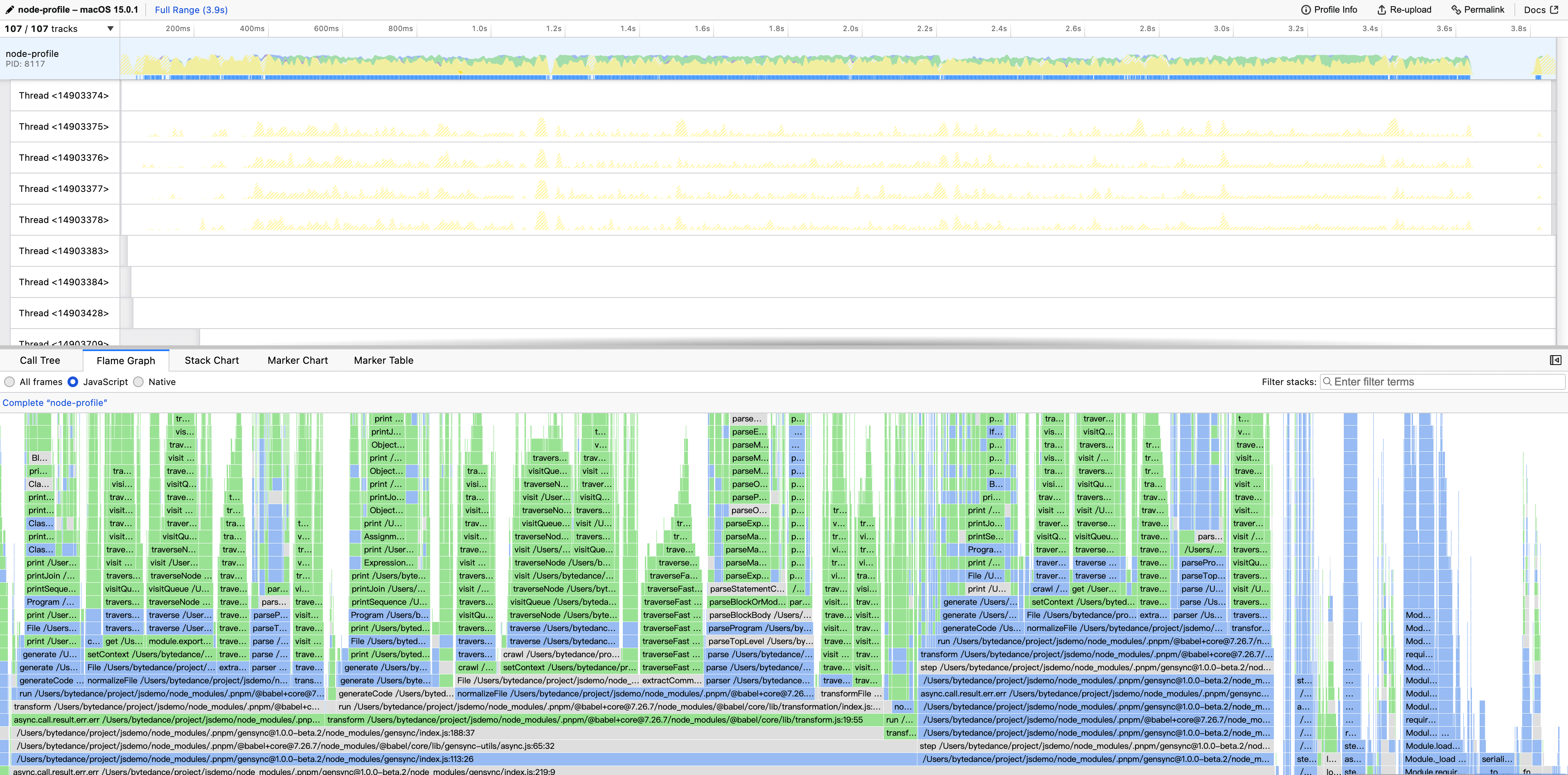
- After the command execution, the analysis results will automatically open in the Firefox Profiler. The screenshot below is from a Samply profiler.
Node.js currently only supports --perf-prof on Linux platforms. JavaScript profiling in Samply depends on --perf-prof support. If you need to use Samply for JavaScript profiling on other platforms, consider using Docker for profiling, or you can compile Node.js yourself for macOS using node-perf-maps for profiling purposes.
JavaScript profiling
Rspack’s JavaScript typically runs in the Node.js thread. Select the Node.js thread to view the time distribution on the Node.js side.
Rust profiling
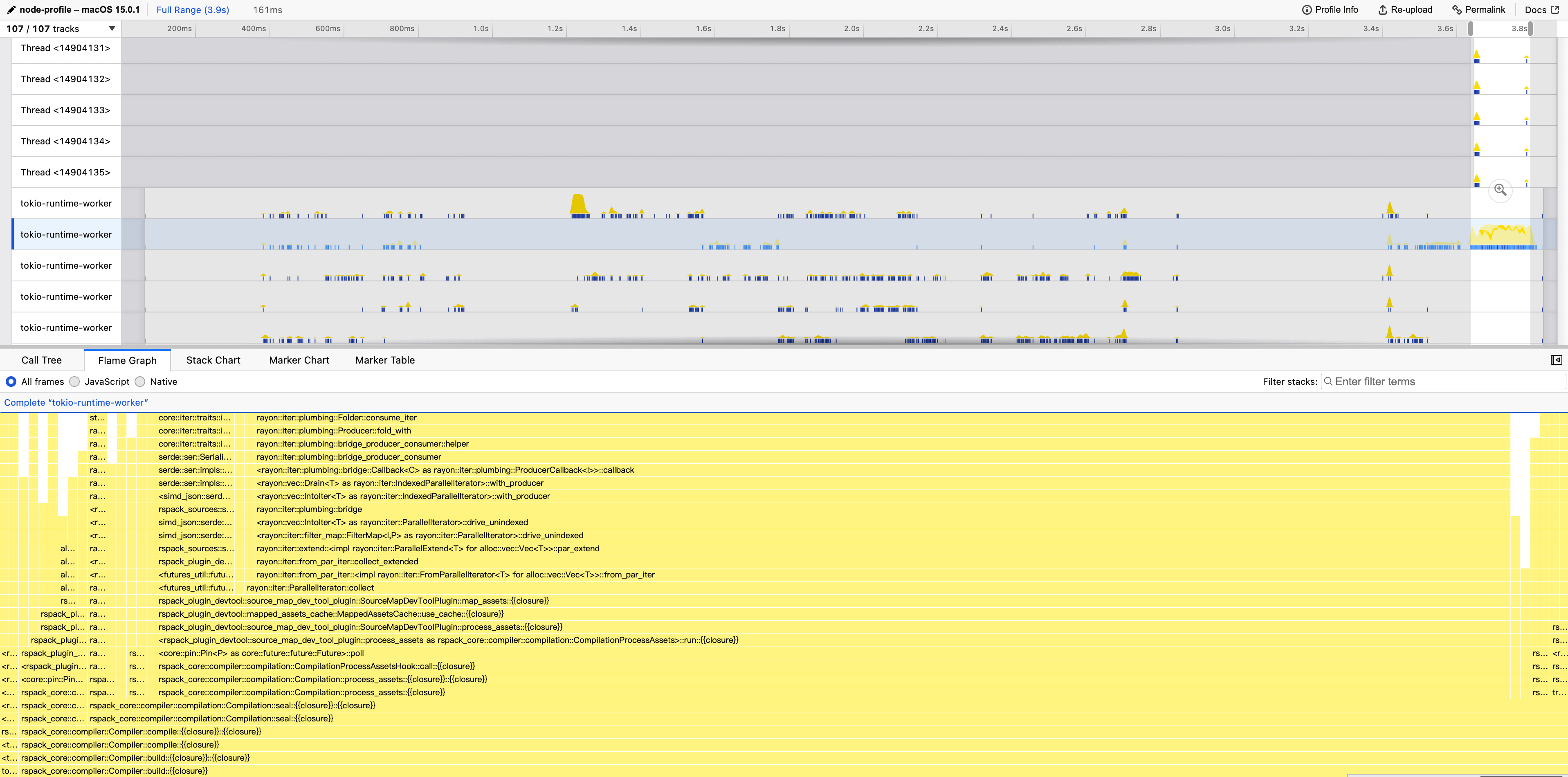
Rspack’s Rust code usually runs in the tokio thread. Select the tokio thread to view the time distribution on the Rust side.
Rsdoctor timeline
If we want to analyze the time cost of loaders and plugins or the compilation behavior of loaders, we can use Rsdoctor to view:
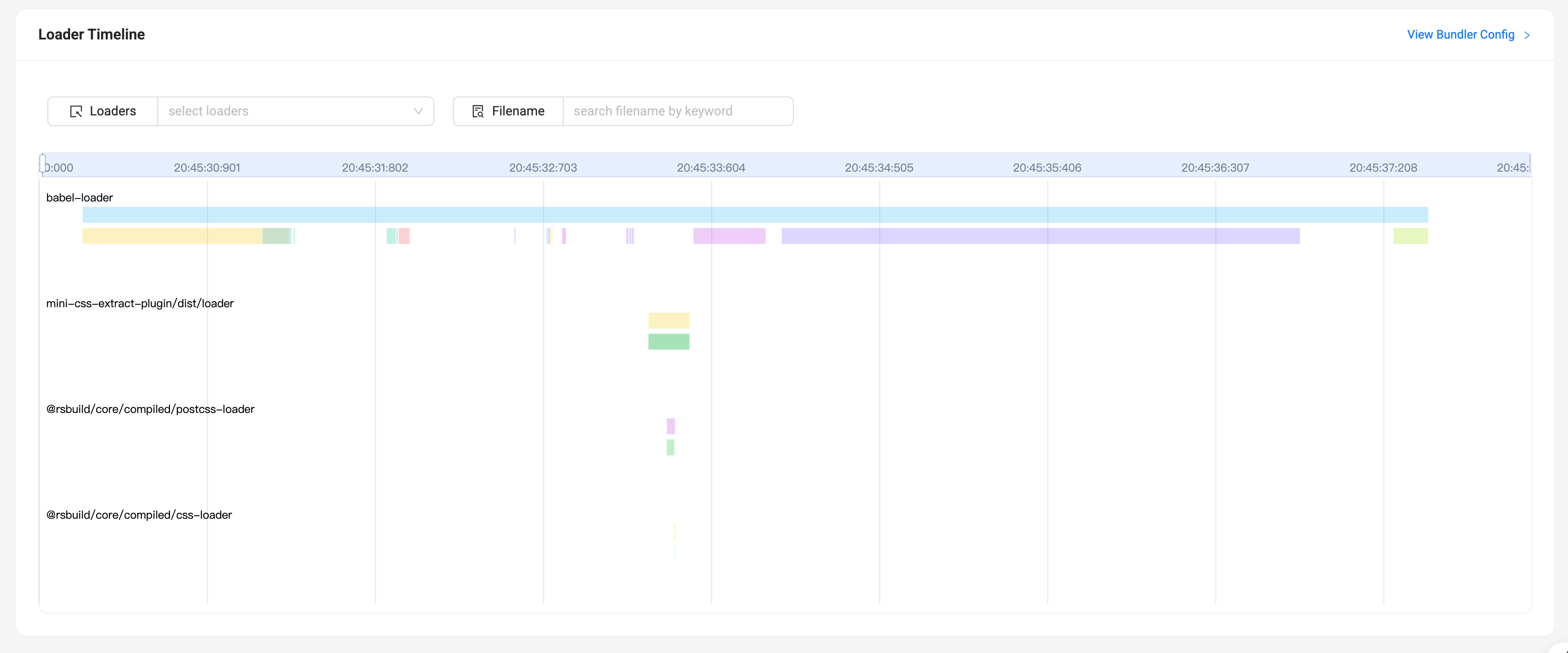
Refer to Rsdoctor Compilation Analysis
Mac Xcode instruments
Xcode instruments can be used to produce a CPU profile if you are on a Mac.
To install Xcode Instruments, simply install the Command Line Tools:
For normal Rust builds, cargo instruments can be used as the glue
for profiling and creating the trace file.
Since Rspack takes quite a while to build, you can use the following procedure without invoking cargo instruments.
It has the same effect.
In workspace root's Cargo.toml, turn on debug symbols and disable symbol stripping in the [profile.release] section
Then build the project
The final binary is located at packages/rspack-cli/bin/rspack once the project is built.
Under the hood, cargo instruments invokes the xcrun command,
which means we can run the following in our own project that uses Rspack.
It produces the following output
We can open the trace file by